
An Inbox That Opens Next to Your Work
All releasesThe inbox now opens beside the page you're on, groups updates by task and lets you work through them from the keyboard, so you can read a notification and act on the task in the same place.
New
-
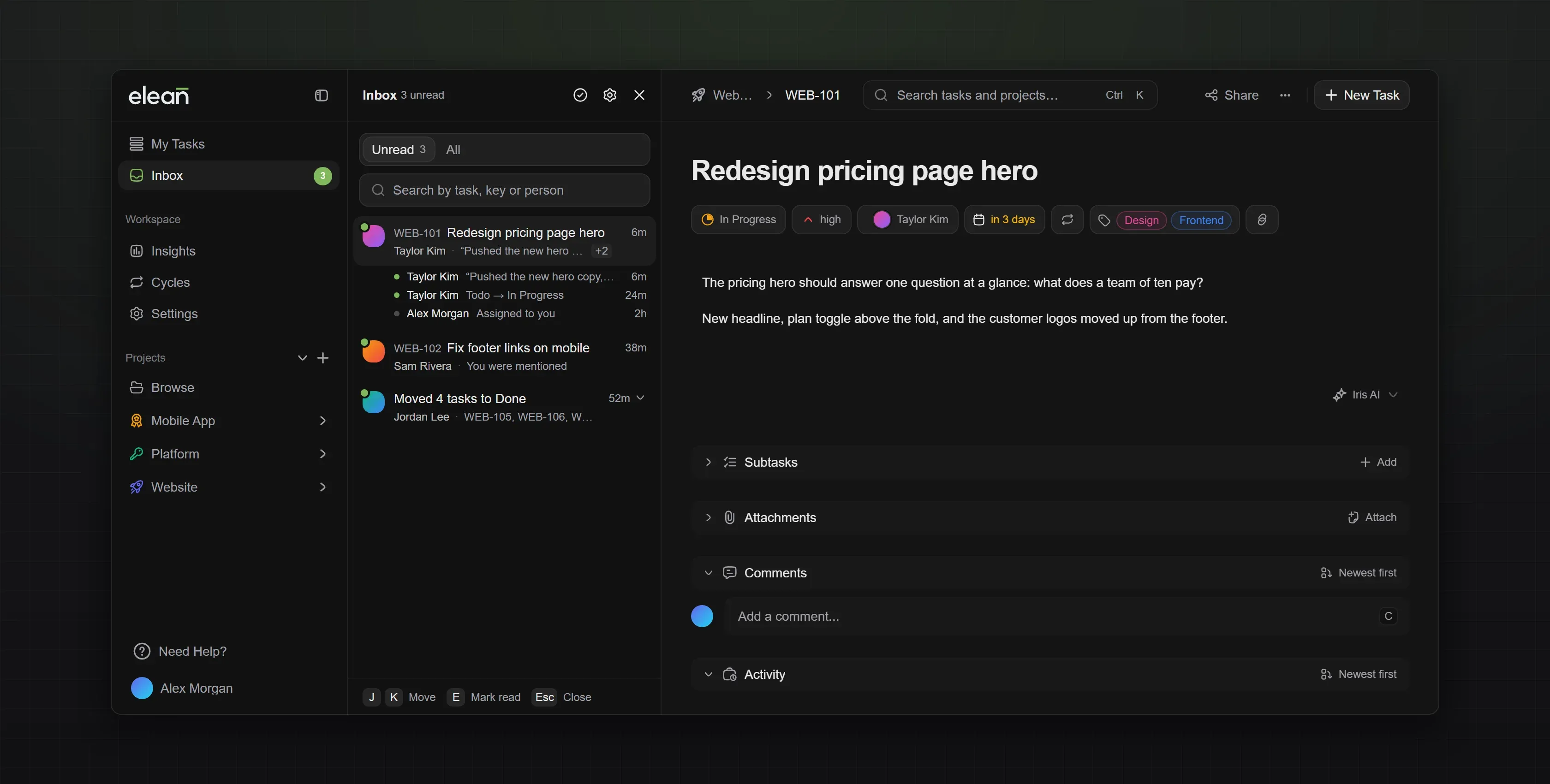
Inbox next to your tasks: Click Inbox in the sidebar and it opens as a panel beside the page you’re on. Click a notification to open the task itself, and the inbox stays open so you can go straight to the next one.
-
Work through it from the keyboard: J and K move between notifications, E marks one as read and opens the next, and Esc closes the inbox.
Improved
- One row per task: Updates on the same task share one row with the latest change on top. Select it to see everything that happened since you last looked. When someone moves several tasks to the same status at once, like during a release, you get one row instead of one per task.
- Unread and All: The inbox opens on your unread notifications. A notification stays unread until you mark it as read, so opening a task to take a quick look doesn’t clear it. Older notifications load as you scroll.
- Inbox on phones and tablets: On smaller screens the inbox slides over the page, and Mark as read is always visible on touch.
- Links to missing tasks: Opening a task that was deleted or that you can’t see now shows Task not found with a way back to My Tasks, instead of sending you to another page.