
A new home for every task
All releasesA redesigned task page and quick view, subtasks you add or link from one field, threaded comments, a full-screen file viewer, and task details that stay at hand as you scroll.
New
-
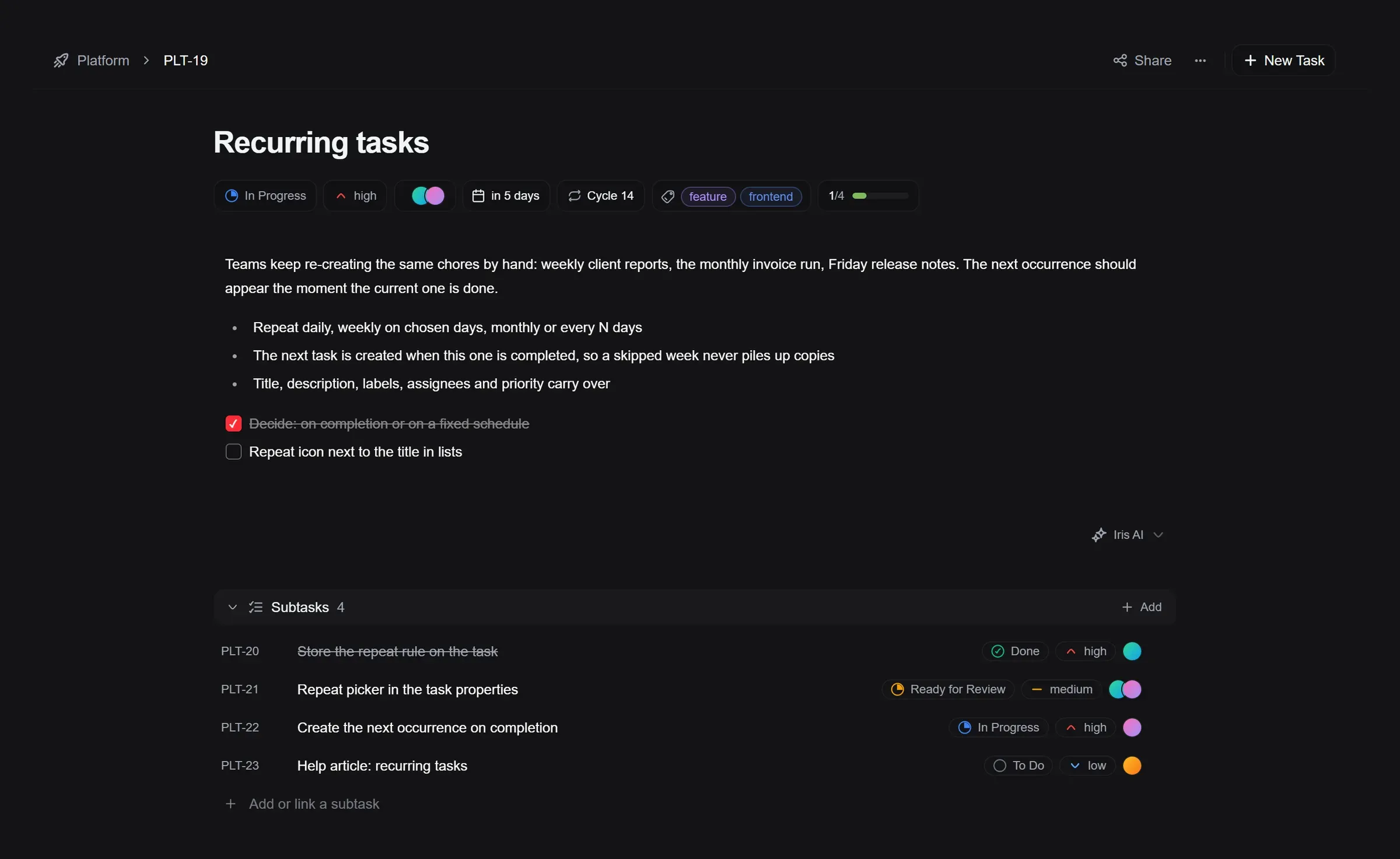
Redesigned task page: Every task now reads top to bottom in one column, with status, priority, assignees, due date, cycle and labels right under the title, one click away. Sections fold away when you don’t need them, and the quick view shows exactly the same page.
-
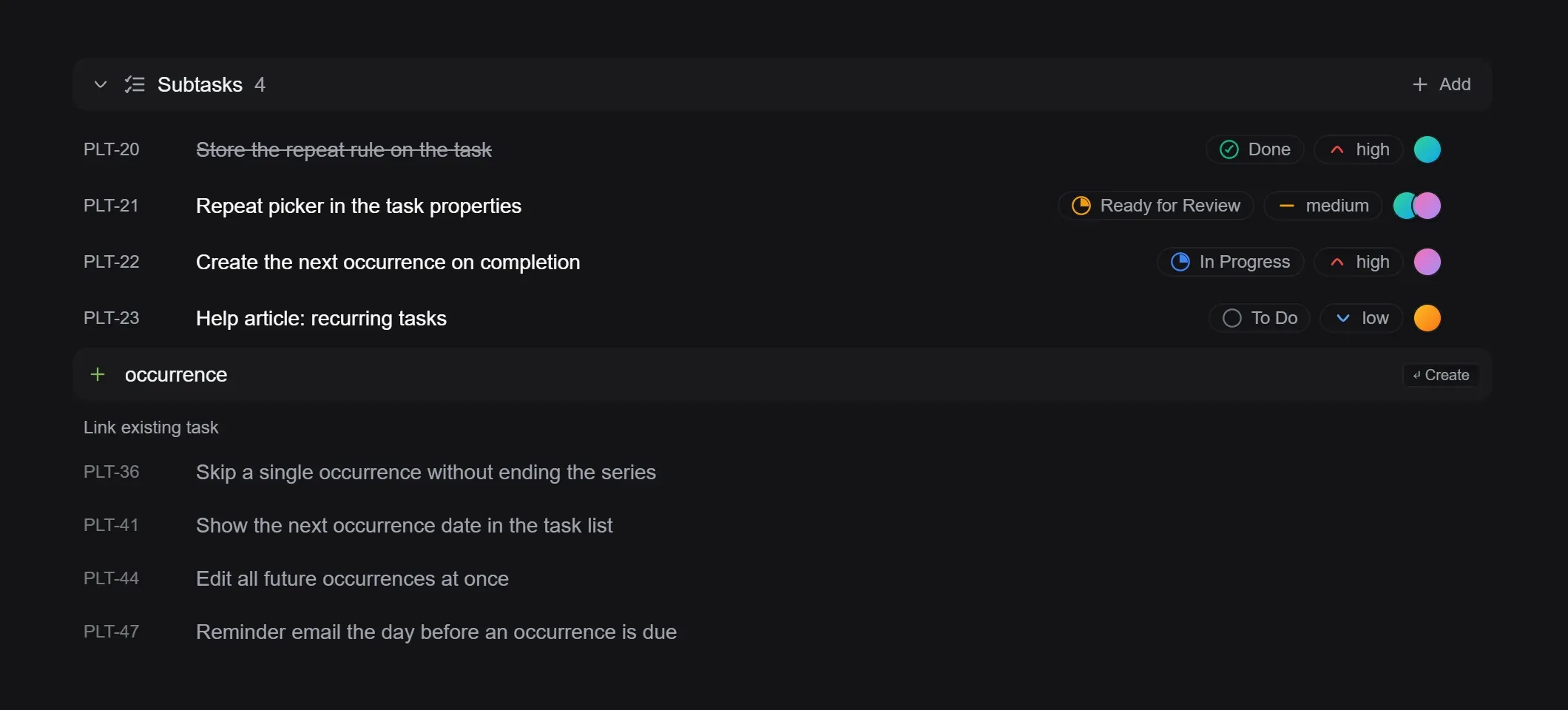
Subtasks from one field: Type a title and press Enter to create a subtask, or pick an existing task from the suggestions to link it. Add several in a row without leaving the keyboard.
-
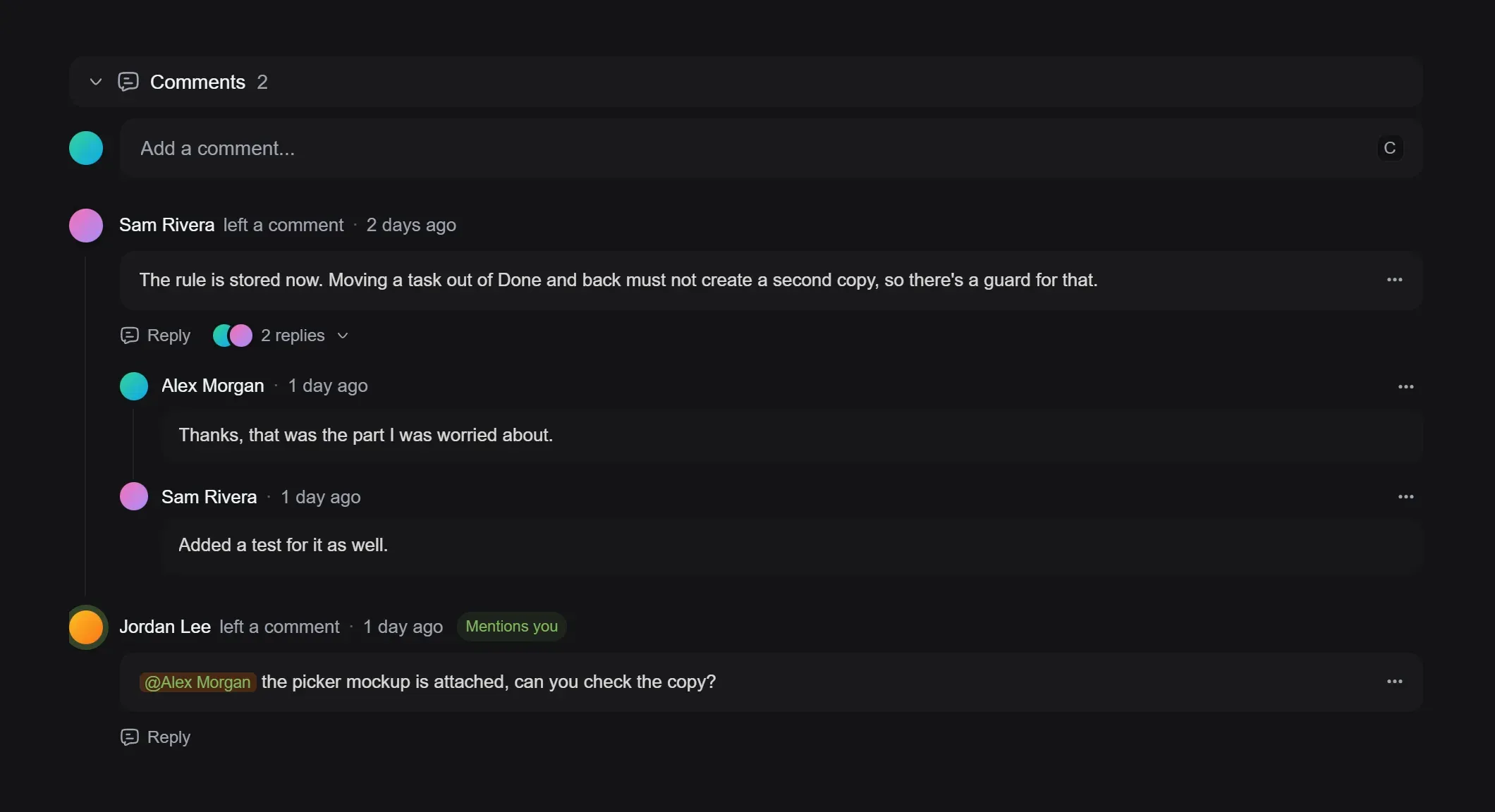
Comments as a conversation: Replies stay with the comment they answer, with a box at the end of each thread, and comments that mention you stand out with a “Mentions you” badge. Press C anywhere on a task to start writing, and Ctrl+Enter or Cmd+Enter to send.
-
Activity you can scan: Changes made together are grouped into one line, statuses and priorities show as the same badges you see on the board, and description edits stay folded until you want to see them.
-
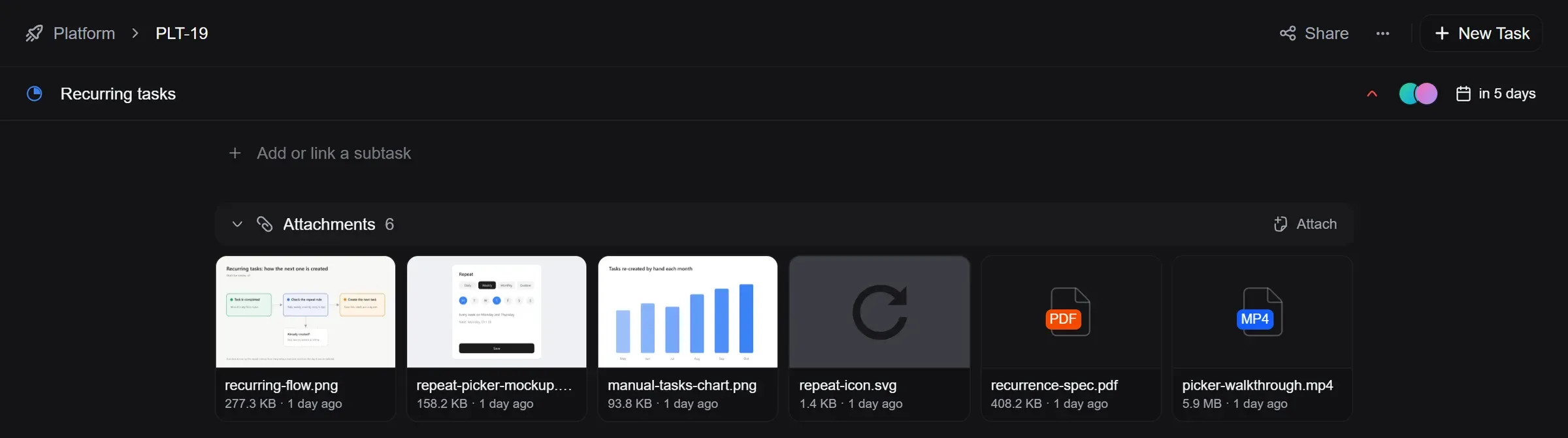
Attachments at a glance: Files show as tiles with sharp previews, and logos sit on a backdrop so dark ones stay visible. Drop files anywhere on the attachments section to upload them.
-
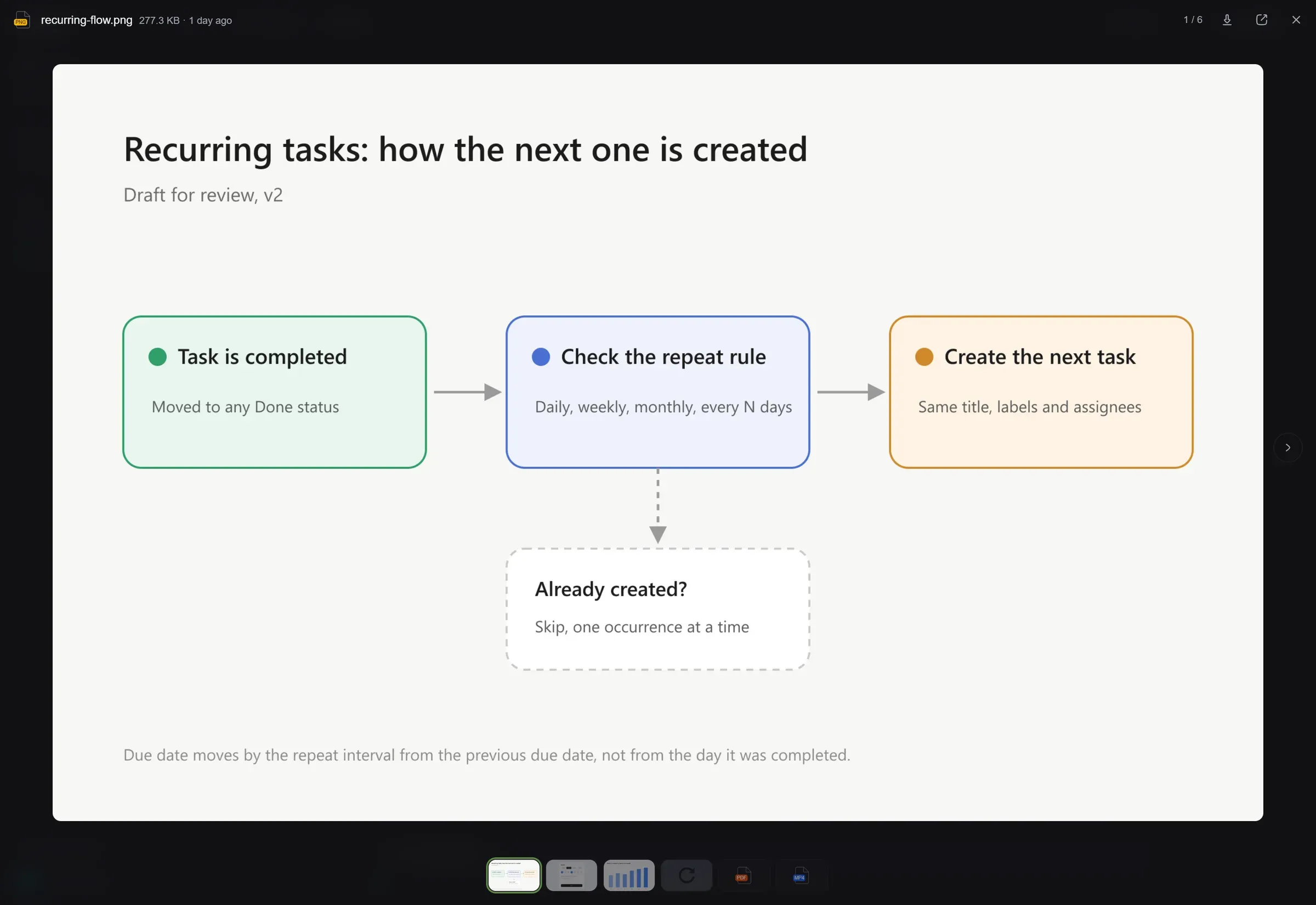
A proper file viewer: Click an attachment to open it full screen. Flip through the task’s files with the arrow keys, a swipe or the strip at the bottom, view PDFs, videos and audio in place, and download or open any file in a new tab. Attachments in comments open the same way.
-
Task details stay at hand: Scroll down a long task and a slim bar keeps its title, status, priority, assignees and due date at the top, ready to change. Click the title to jump back up.
-
Task actions in the top bar: Share, Git and the ··· menu now sit at the top of the window next to New Task, so the task itself starts higher on the page. Copy the task’s link or ID from Share, and find Move, Duplicate and Delete under ···.
Improved
- Open board cards in a new tab: Ctrl+click or Cmd+click a card on the board to open the task in a new tab, like you already could in the list.
- Move from the quick view: Move a task to another project straight from the quick view.
- Iris now runs on Claude: Iris AI, which helps you write and improve task descriptions, is now powered by Anthropic’s Claude.
- Tasks open in full on phones: Opening a task from My Tasks or a cycle on your phone now takes you to the full task page instead of a cramped pop-up.
Fixed
- Jump back in forgets deleted tasks: Tasks you or your teammates delete no longer stay in your recent tasks on My Tasks.
- Escape really closes the @ and / menus: Pressing Escape on the mention or command menu now closes it for good, so Enter no longer picks an item you could no longer see.
- Subtasks keep their parent: When a teammate changes a subtask you have open, the link to its parent task no longer disappears until you reload.