
GitHub integration
All releasesConnect GitHub to see the pull requests, branches and commits behind every task, and let tasks move on their own as work gets merged.
New
-
Your code, right on the task: Mention a task’s key, like MOB-42, in a branch name, pull request or commit, and it shows up on that task with its current state. The task’s activity shows what happened on GitHub and when.
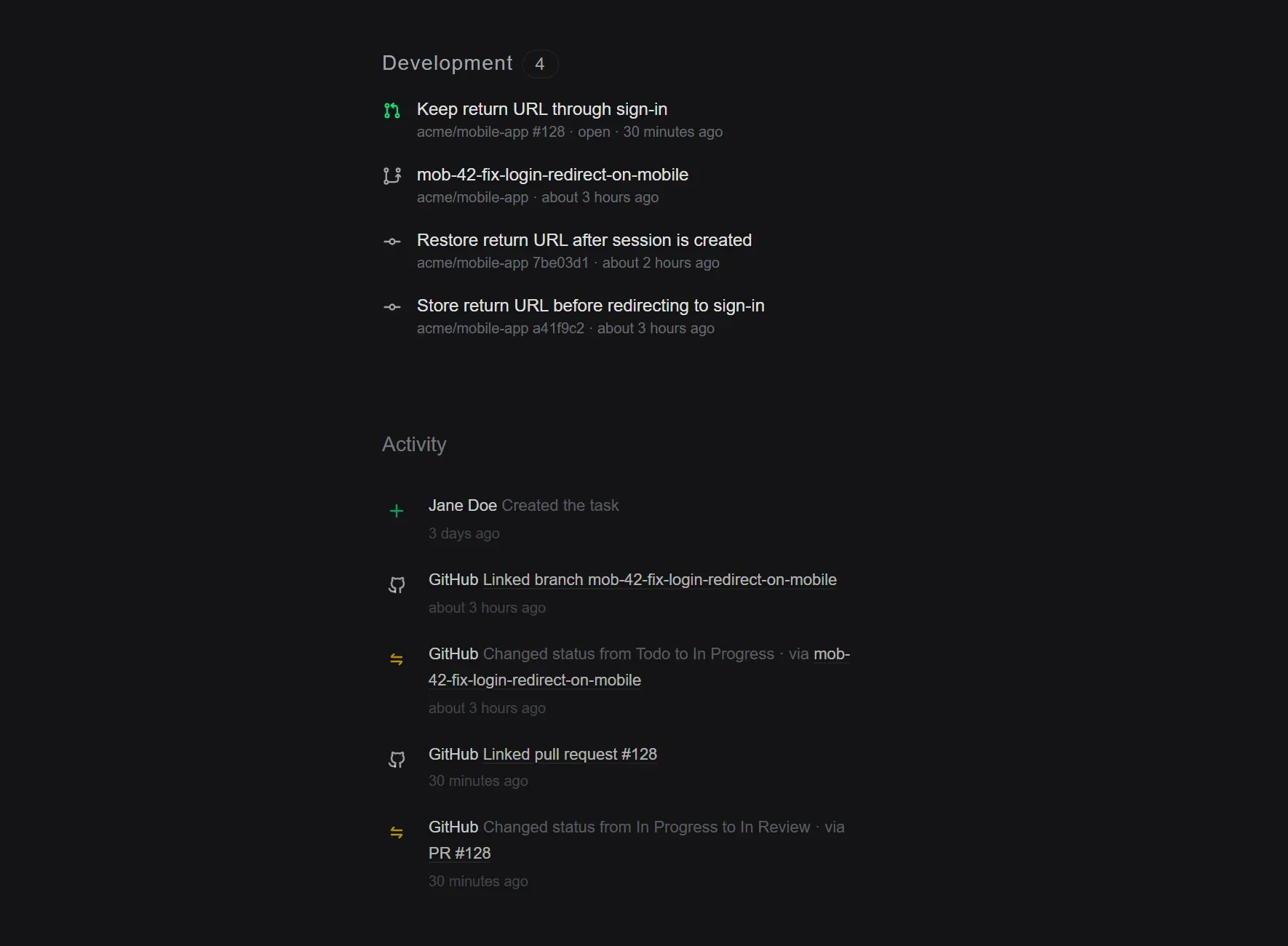
-
Start a branch in one click: Copy a ready-made branch name or git command from any task, or create the branch on GitHub straight away.
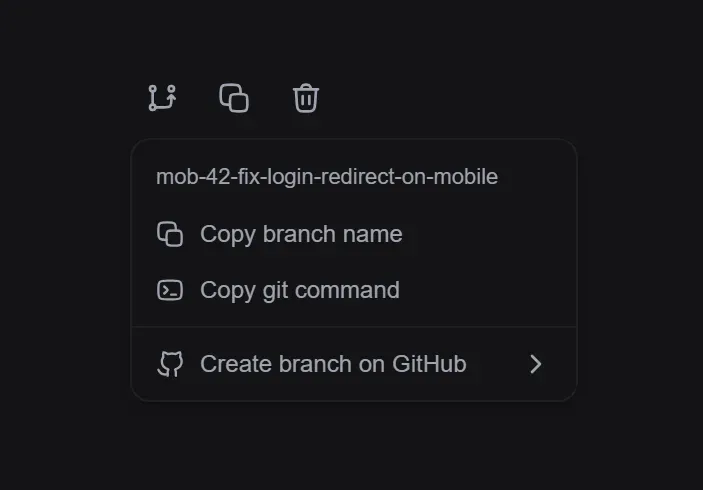
-
Tasks that move themselves: Choose what happens when a branch is created, a pull request is opened, approved or merged, or a release is published, and Elean moves the task to the right status for you.
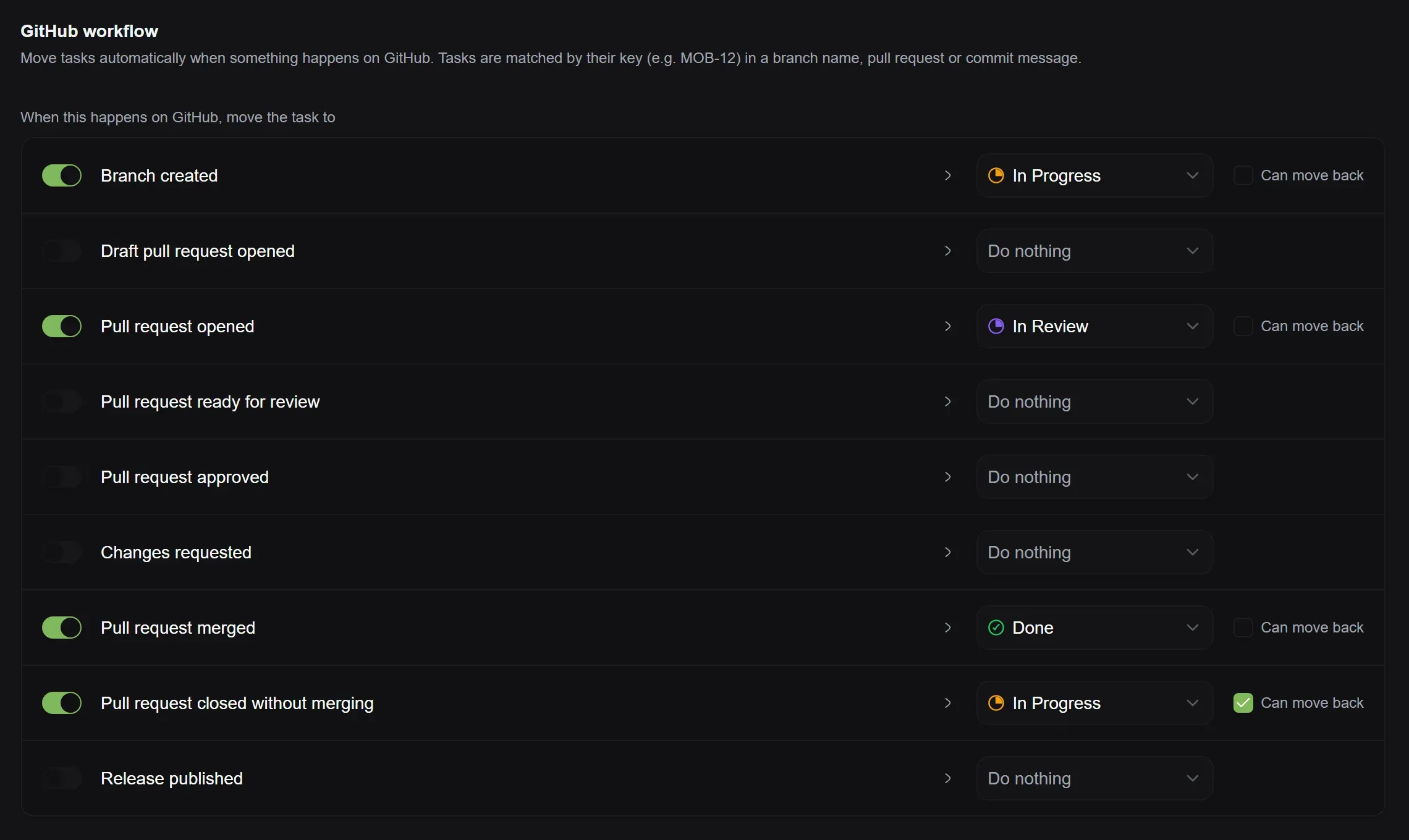
The Free plan includes one repository and two rules. Pro and Business have no limits and can also move tasks when a release is published.
Coming next
- We’re working on GitLab, with Forgejo and Gitea to follow.
- Missing an integration? Tell us which tools you’d like Elean to connect to, on Discord or through live chat in the app.