
Clearer Projects and Cycles
All releasesSee how every project and cycle is doing at a glance, and open any cycle to check whether it will finish on time.
New
-
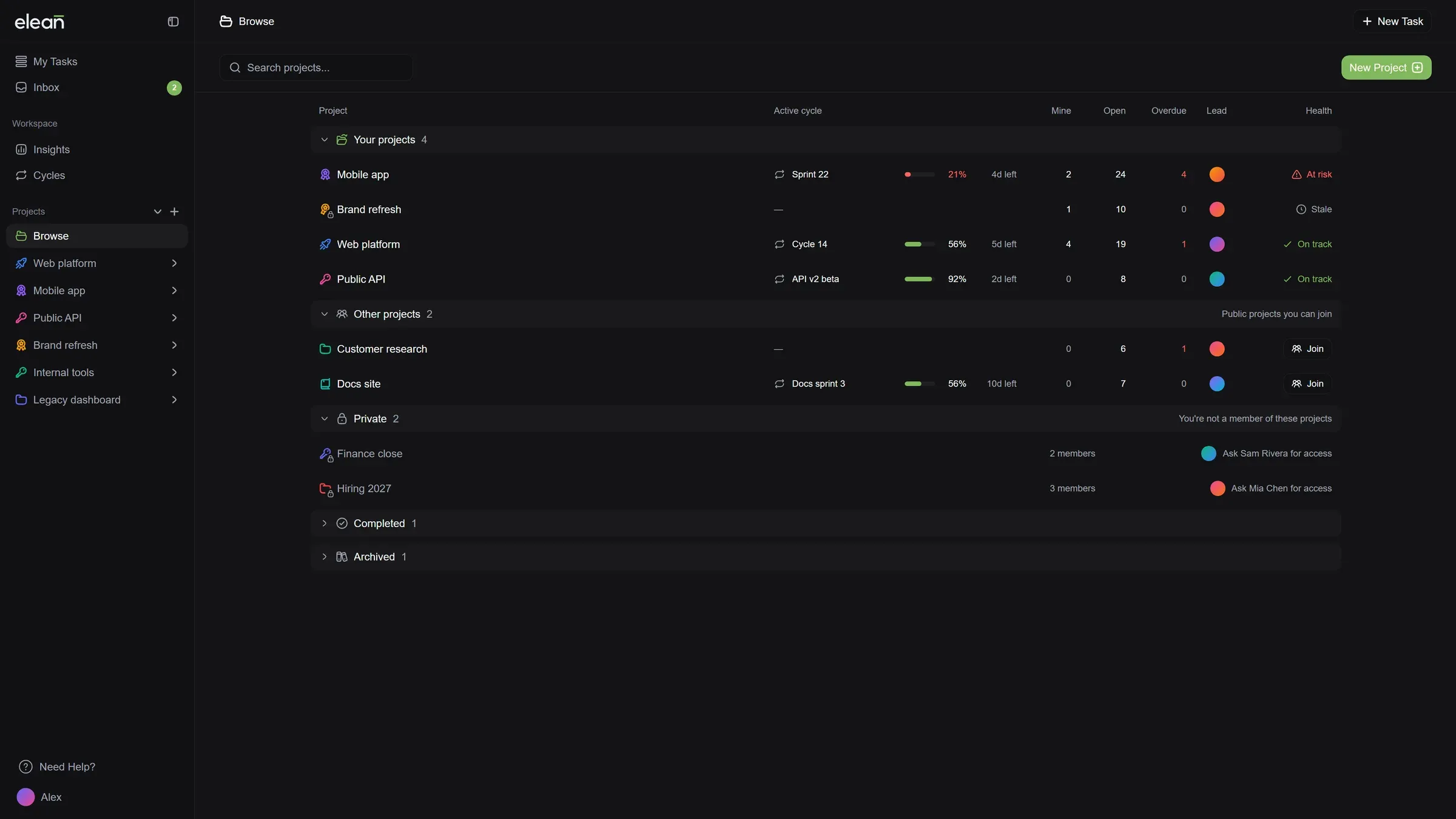
A new Projects page: Projects are grouped into yours, ones you can join, and completed or archived. Each row shows the current cycle with its progress and days left, your open tasks, what’s overdue, who leads it, and whether it’s on track.
-
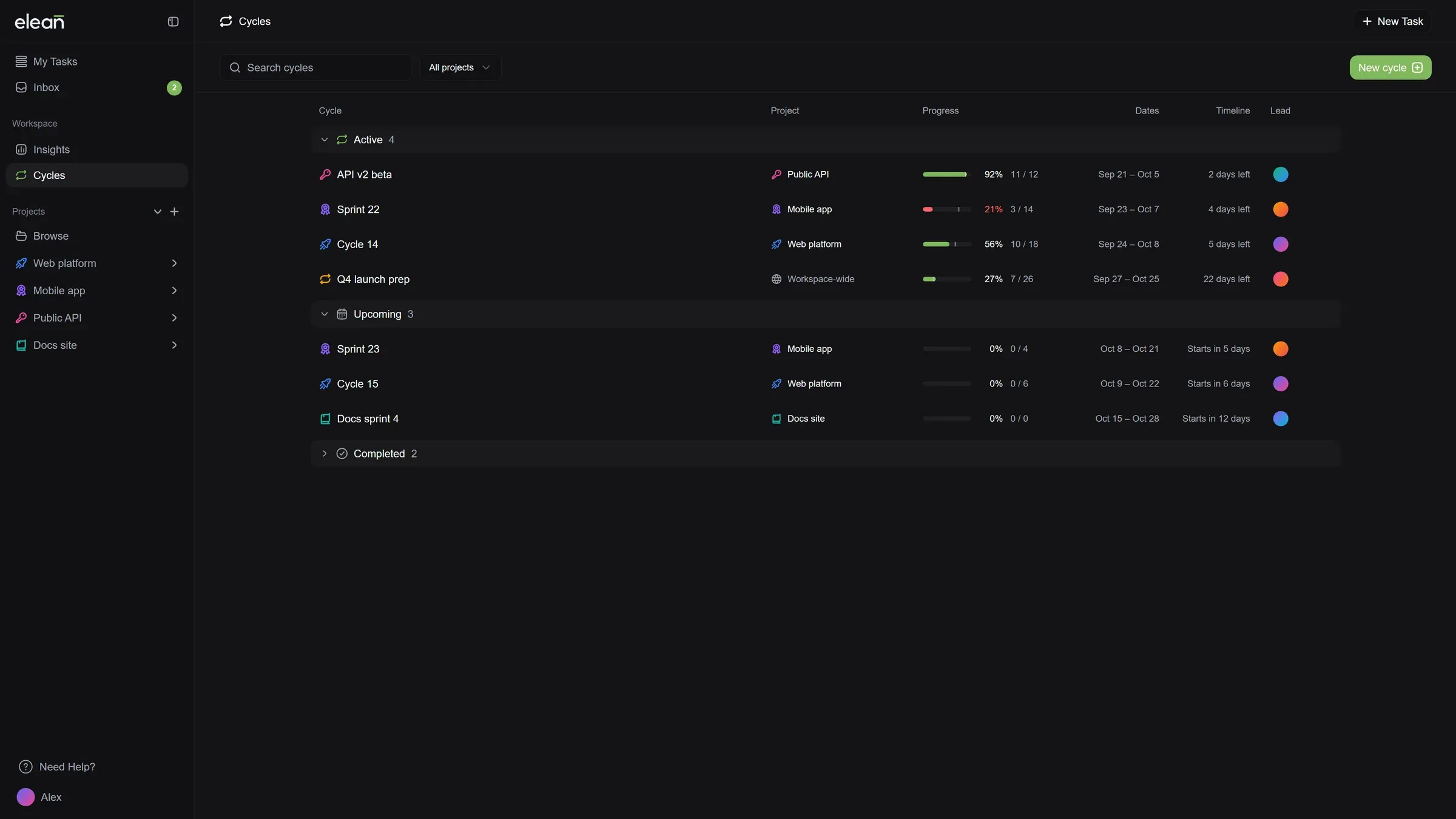
A new Cycles page: Every cycle shows its project, progress and days left, and cycles falling behind are marked so you can catch them early. The Cycles tab in each project works the same way.
-
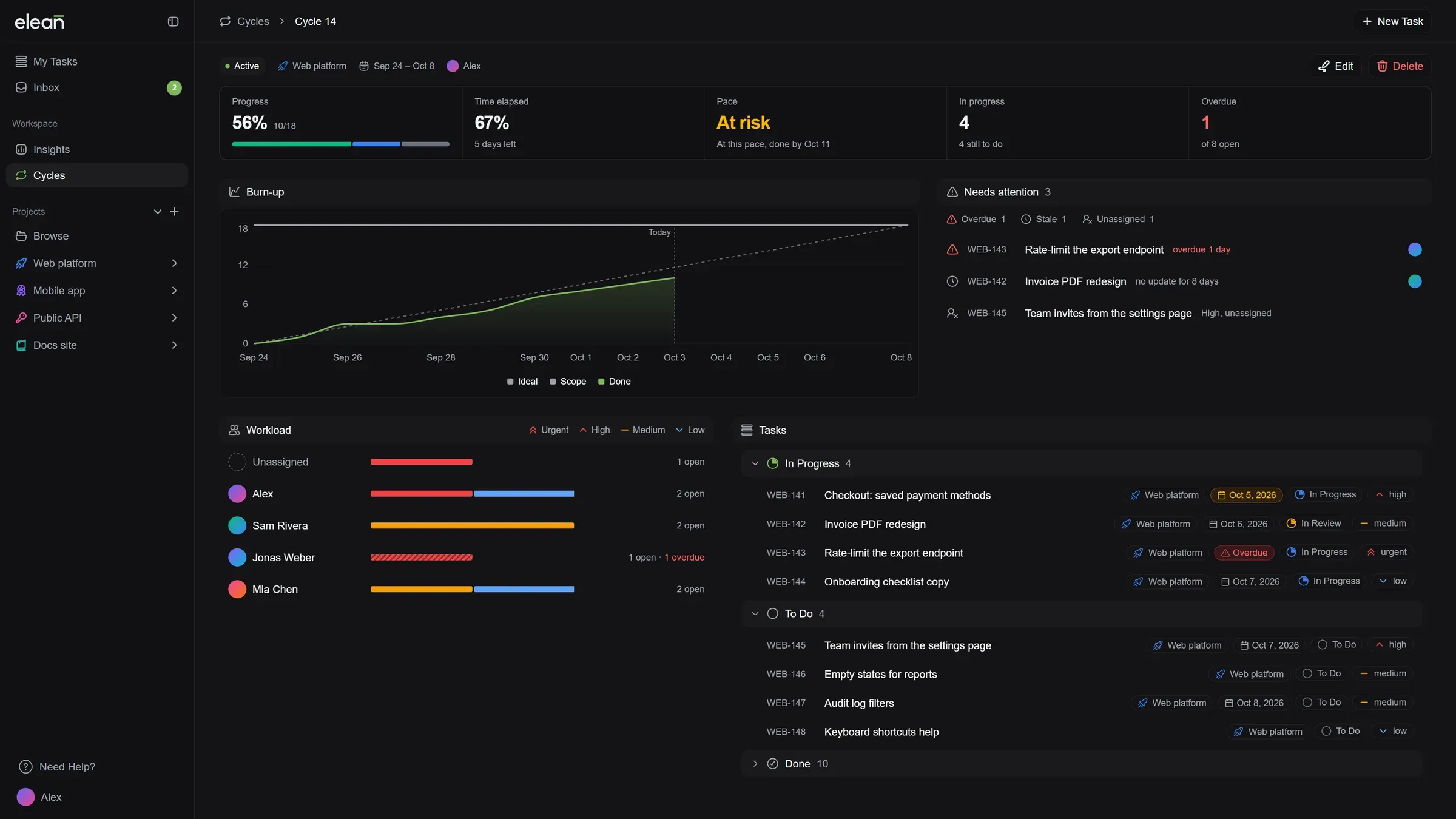
A page for every cycle: Open a cycle to see whether it will finish on time, what needs attention, who’s working on what, and all of its tasks in one place.
-
Cycles and files in the MCP server: AI assistants connected to Elean can now see your cycles, check what’s attached to a task, and attach files of up to 5 MB.
Improved
- Look before you join: Open any public project to see its tasks before you join it.
- Know who to ask: Private projects you’re not part of show who leads them, so you know who to ask for access.
- Cleaner subtasks in the list: Subtasks shown under their parent get a small marker instead of a repeated “Subtask” label. Elsewhere, a subtask shows which task it belongs to.
- A helpful My Tasks when it’s empty: With nothing assigned yet, My Tasks helps you create your first task or find a project to join. Once you’ve finished everything, it tells you you’re all caught up.
Fixed
- Private projects stay private: People outside a private project no longer see its members or description.
- Joining a project confirms when it’s done: The confirmation now appears once you’ve actually joined, and you see a message if it didn’t work.