
Clearer plans, and a billing page that shows what you use
All releasesMy Tasks now shows what's overdue, what's due today and what's next, and Insights show how work is moving across your workspace and projects. Plans are now Free, Pro and Business, with Enterprise on request, and the billing page shows your seats, storage and renewal at a glance.
New
-
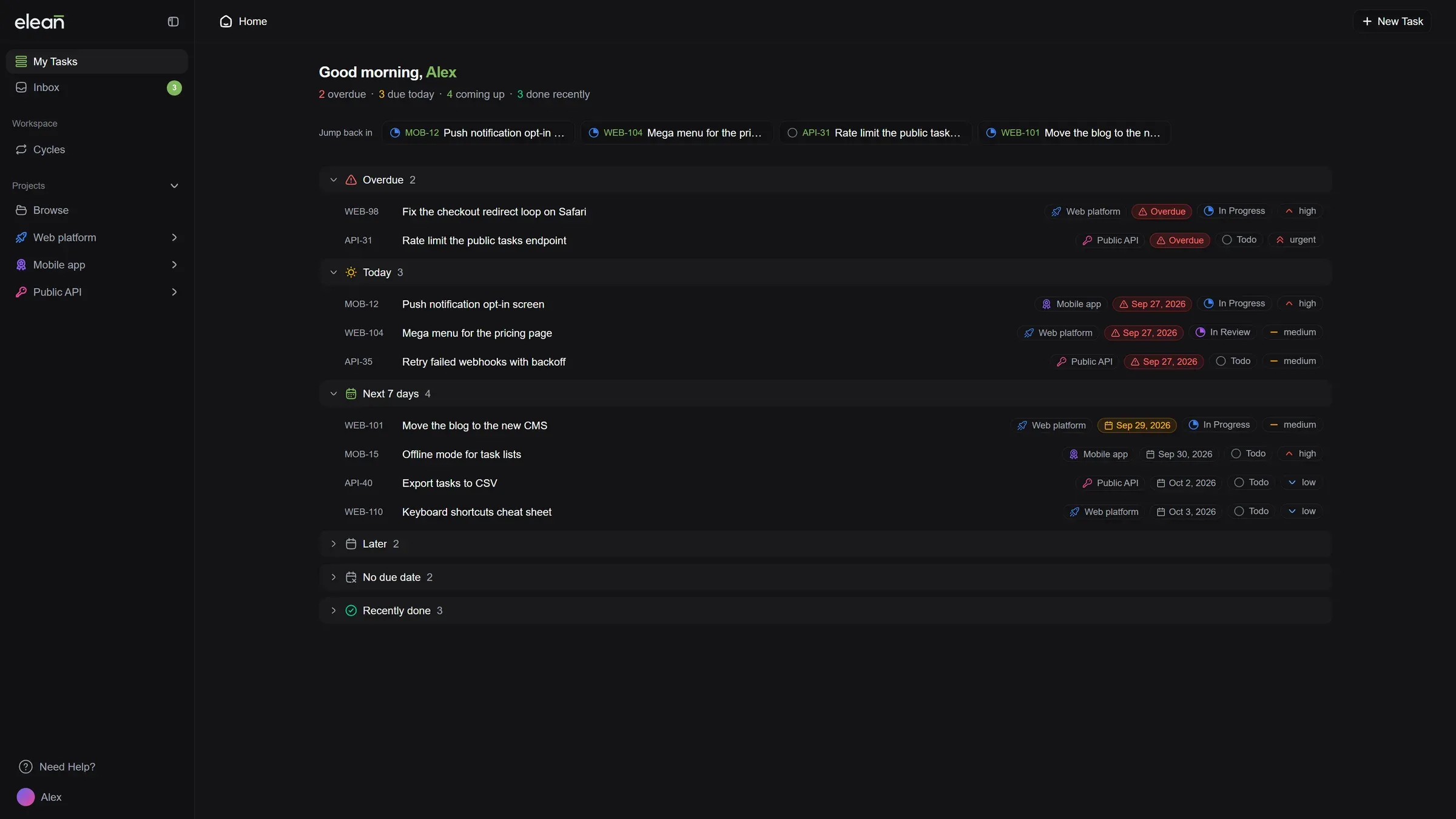
My Tasks, organized by when things are due: Your tasks are grouped into Overdue, Today, Next 7 days, Later, No due date and Recently done, with a short summary of your day at the top. Jump back into the tasks you opened last in one click.
-
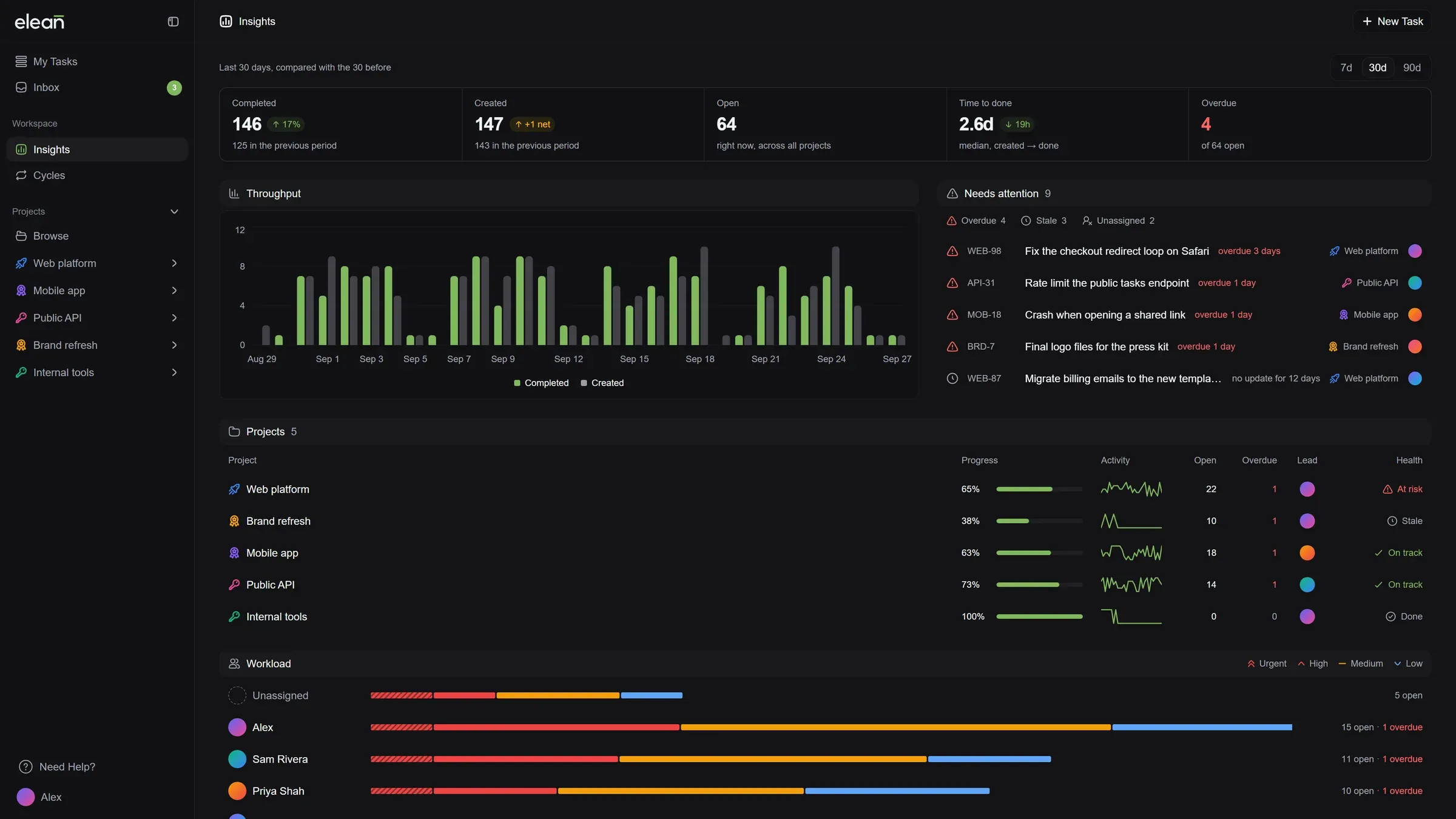
Insights for your workspace: Analytics is now Insights. See what got done and what was added compared with the previous period, which tasks need attention, which projects are at risk or stalled, and who has the most on their plate.
-
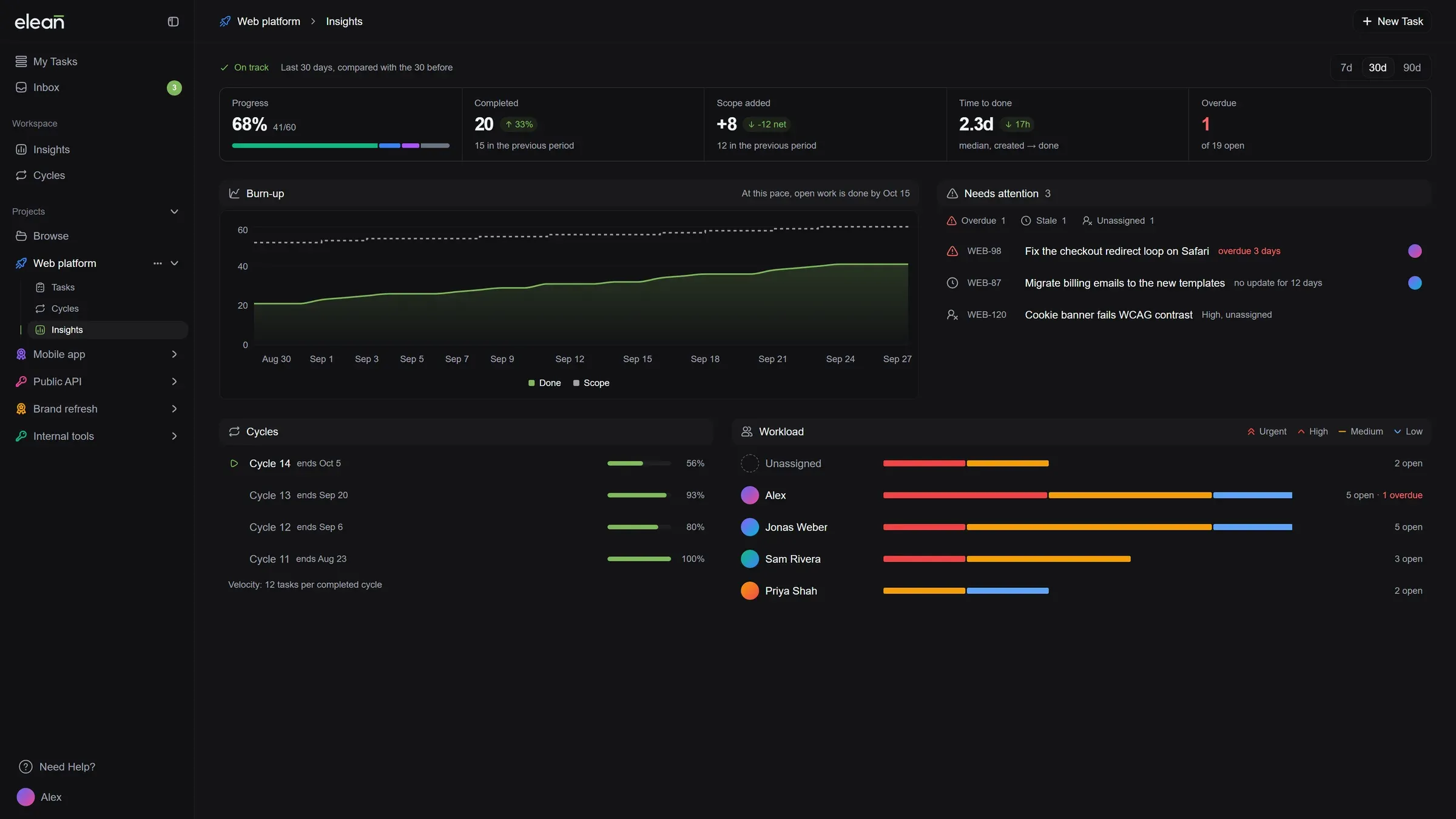
Insights for every project: Follow a project’s progress, see when open work is likely to be done at the current pace, and check how its cycles are going.
-
Free, Pro and Business: Our plans have names that tell you where they sit. Stream is now Free and River is now Pro, with the same price and limits, so nothing changes for you.
-
Business for larger teams: 50 members, unlimited storage, a public roadmap, 180 days of audit history and priority support, for $65 a month or $55 a month billed yearly. Guest access is coming soon.
-
Enterprise on request: Need custom seats, invoicing or a security review? Talk to us from the plans page.
-
A new billing page: See your plan, how many seats you use and how much storage is left at a glance. Your renewal date, card and billing contact sit together on the right.
Improved
- Projects open on your tasks: Opening a project takes you straight to its tasks. Its charts now live under Insights.
- Picking a plan is easier: Plans sit side by side next to a running total. Add seats with a plus and minus, and open a full comparison of every feature in one click.
- Your whole payment history: Load older payments whenever you need them, see how each one was paid, and download any invoice.
- Checkout finishes on its own: After you pay, Elean waits for your new plan to switch on and takes you straight to it. If a payment doesn’t go through, you see why, and you’re not charged.
Fixed
- Yearly plans show the right price: The billing page showed a monthly amount as the yearly price. It now shows what you actually pay each year.
- AI limits show the right window: The billing page said AI requests reset every month. They reset every 24 hours, and the page now says so.
- Scheduled plan changes are easy to read: A plan change set for your next renewal now shows the plan’s name.