
A new List view, and a board you set up your way
All releasesSee tasks grouped by status, update several at once, and choose what your board shows. Drag and drop, the sidebar and page loads feel smoother too.
New
-
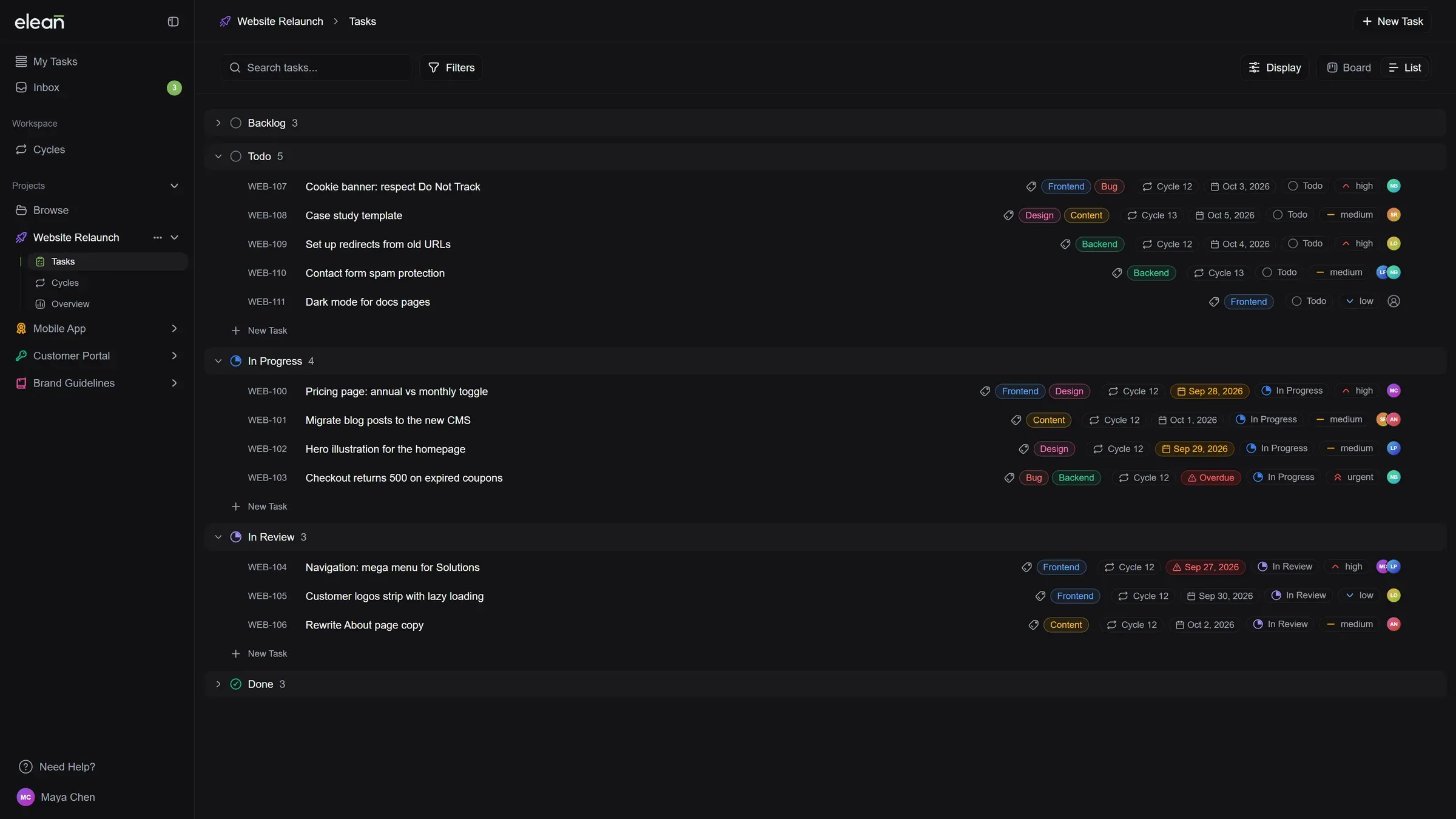
A new List view replaces the Table: Tasks are grouped by status, and you can fold away any group you don’t need. Change status, priority, labels or assignees right from the row.
-
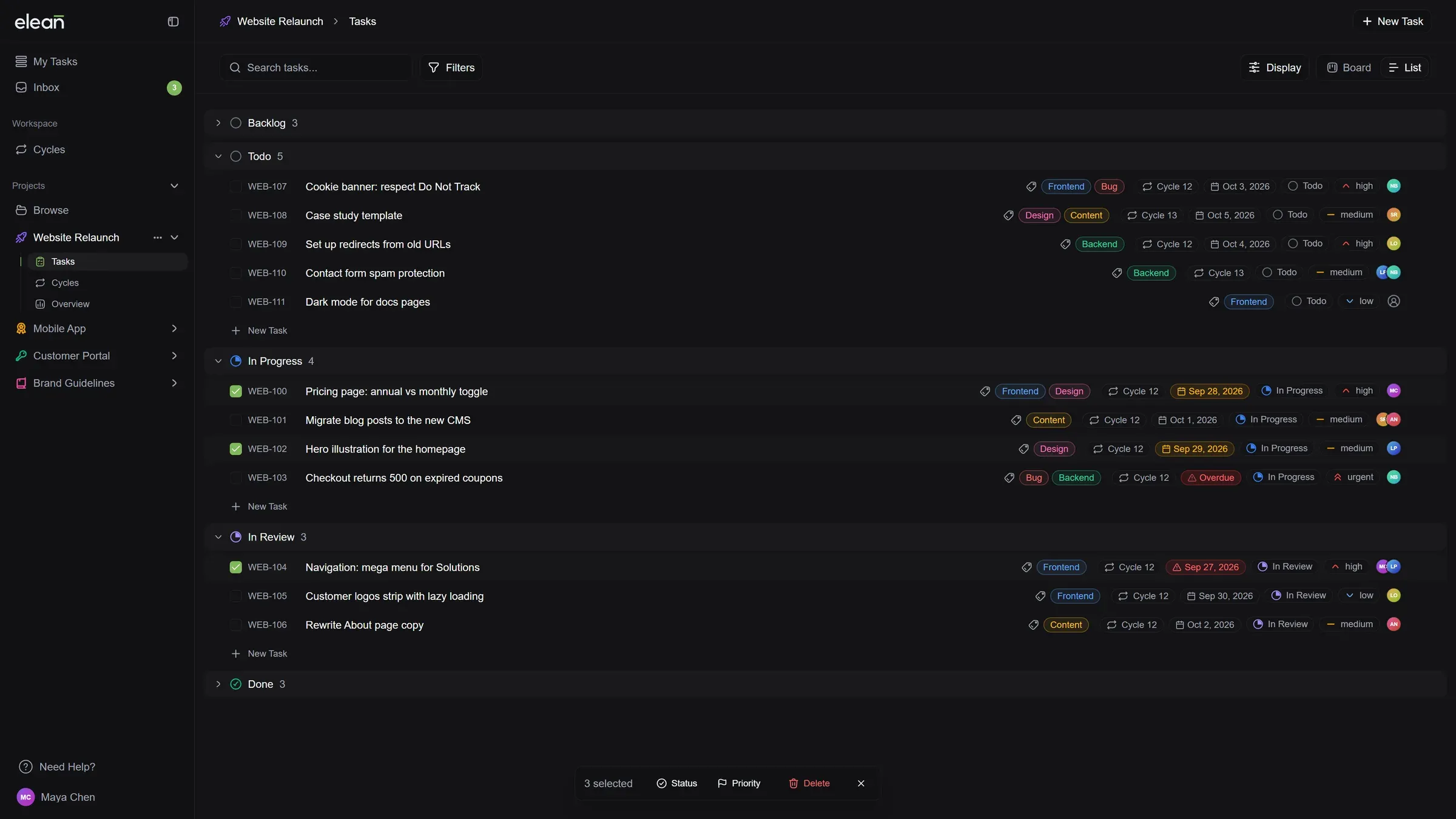
Update many tasks at once: Select several tasks in the List to change their status or priority, or delete them, in one go.
-
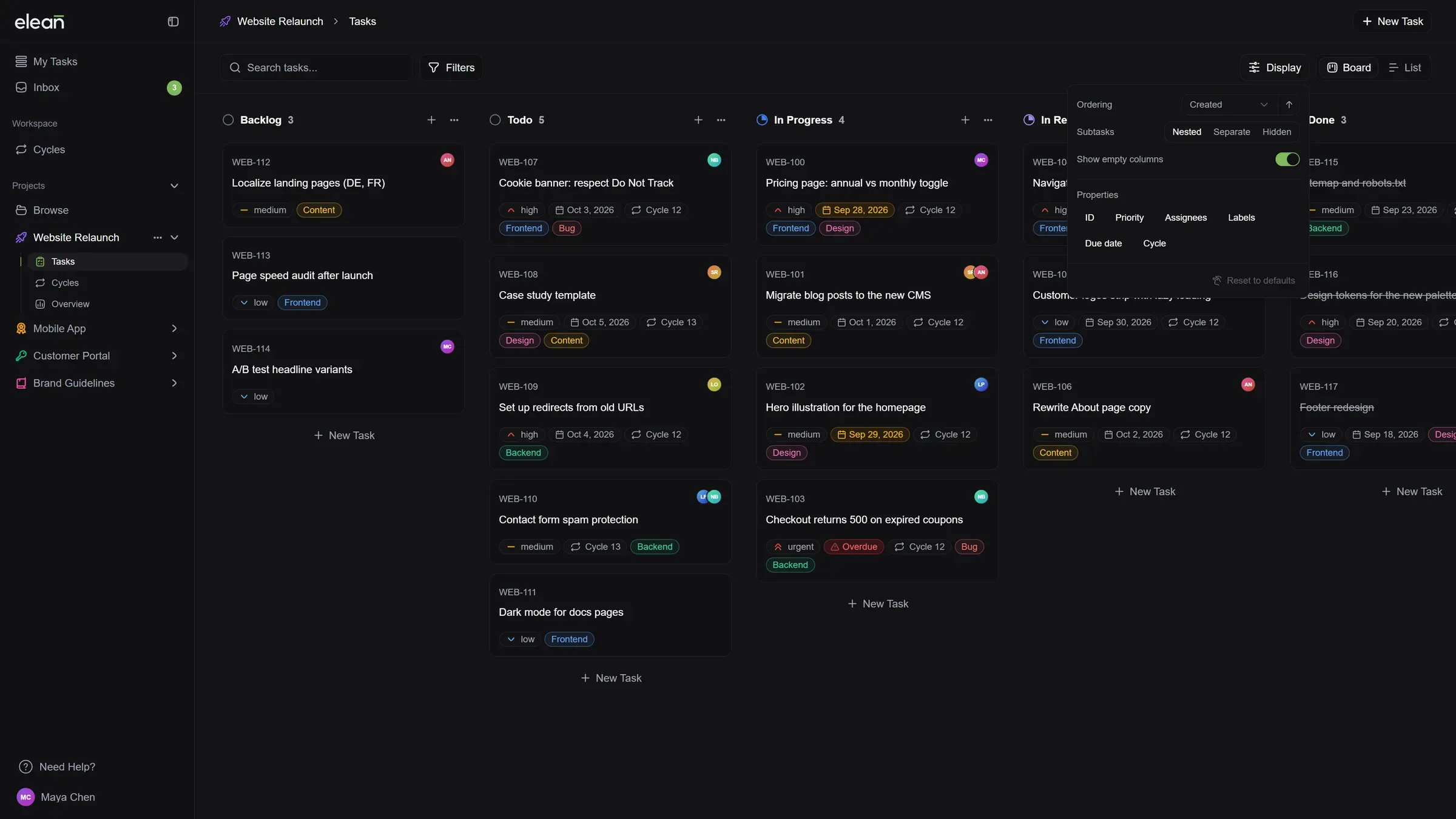
Set up your board your way: A new Display menu picks the order of tasks, which details show on cards and in the list, and whether empty columns take up space. The List can also drop the status groups and show one long list. Each project remembers its own setup.
-
Subtasks, the way you like them: From the same Display menu, keep subtasks inside their parent card, show them as cards of their own with a link back to the parent, or hide them.
Improved
- Change a subtask’s status from its parent: The subtask list on a card now has the same status picker as the list.
- Projects unfold in the sidebar: Click a project to see its Tasks, Cycles and Overview right below it. The sidebar remembers what you left open, and Archive and Settings are in the project’s “…” menu.
- You always know where you are: The top bar shows the project and the view you’re in.
- One view switcher everywhere: Switching between Board and List, or List and Grid, works the same way on every page.
- Pages load smoothly: Screens fade in from their loading state instead of flashing, on the board, projects, cycles, the inbox and My Tasks. Switching between Board and List is smooth too.
- Clear answers on an empty board: When a search or filter finds nothing, the board says so and lets you clear it in one click. A new project shows where to add its first task.
- Find your own tasks faster: In the Assignee filter, “Me” is now at the top of the list, so you don’t have to look for your name.
- Column sorting in your language: The sort menu on board columns is translated and shows which order is active.
Fixed
- Smoother drag and drop on the board: Moving a card to another column no longer flickers. The card glides into its new place.
- The board no longer shifts while loading: The loading screen now matches the board it turns into.